When it comes to achieving professional quality and color accuracy, choosing the right hardware calibrated monitor is essential. You’ll find that these monitors offer exceptional color fidelity, making them perfect for your creative work. With advanced calibration technologies and a range of features, they can greatly enhance your productivity. But how do you know which one is the best fit for your needs? Let’s explore the top contenders in the market.
BenQ MA270U 27” 4K Monitor for MacBook

If you’re a MacBook user looking for a monitor that perfectly complements your device, the BenQ MA270U 27” 4K Monitor is an outstanding choice. With a stunning 3840×2160 resolution, it’s calibrated specifically for MacBook, showcasing a vibrant P3 wide color gamut. The monitor comes equipped with two HDMI and dual USB-C ports, delivering up to 90W power to your MacBook while charging your iPad or iPhone too. Integrated controls let you adjust brightness and volume right from your keyboard, while the ergonomic design allows for height, tilt, swivel, and pivot adjustments, ensuring maximum comfort during your workflow.
Best For: MacBook users seeking a high-resolution monitor that enhances their productivity with precise color accuracy and ergonomic design.
Pros:
- Calibrated for MacBook: Delivers vibrant P3 wide color gamut for accurate color reproduction.
- Multiple Connectivity Options: Features dual USB-C ports with 90W power delivery and additional HDMI ports for versatile connections.
- Ergonomic Design: Adjustable stand allows for personalized comfort with height, tilt, swivel, and pivot adjustments.
Cons:
- Limited to MacBook Users: While optimized for MacBook, it may not be as beneficial for users with non-Mac devices.
- Higher Price Point: May be more expensive compared to standard monitors without Mac-specific features.
- Size Limitation: At 27 inches, some users may prefer larger screen options for extensive multitasking.
ASUS ProArt Display 32” 4K HDR Professional Monitor (PA32UCDM)

The ASUS ProArt Display 32” 4K HDR Professional Monitor (PA32UCDM) is an exceptional choice for professionals who demand unparalleled color accuracy and vibrant visuals in their work. With a stunning 31.5-inch 4K UHD QD-OLED panel, it delivers a 240 Hz refresh rate and 1000 nits peak brightness. You’ll appreciate its world-leading ∆E < 1 color performance, backed by ASUS ProArt Hardware Calibration Technology. Connectivity is a breeze with dual Thunderbolt 4 ports and HDMI 2.1. Plus, with its ergonomic design and included accessories, it supports your creative endeavors while being environmentally conscious. Enjoy a complimentary 3-month Adobe Creative Cloud access too!
Best For: Professionals in creative fields such as photography, video editing, and graphic design who require exceptional color accuracy and high-quality visuals.
Pros:
- Exceptional color accuracy with a world-leading ∆E < 1 performance.
- High refresh rate of 240 Hz and 1000 nits peak brightness for stunning visuals.
- Ergonomic design with multiple adjustments and comprehensive connectivity options, including dual Thunderbolt 4 ports.
Cons:
- The premium price point may not be suitable for casual users or hobbyists.
- Limited to 31.5 inches, which may not be enough screen real estate for some professionals.
- Potentially high power consumption compared to standard monitors, despite energy-efficient standards.
AOC Q27G4ZD 27″ QD OLED Gaming Monitor

For gamers seeking an edge in competitive play, the AOC Q27G4ZD 27″ QD OLED Gaming Monitor stands out with its impressive 240Hz refresh rate and a lightning-fast 0.03ms GTG response time. This monitor features a QHD resolution of 2560 x 1440, ensuring stunning visuals with over 1.07 billion colors. With HDR10 support and a color accuracy of 110.2% DCI-P3, every detail pops. It’s G-Sync compatible, enhancing synchronization between your GPU and monitor for smooth action. Plus, the self-luminous OLED technology delivers genuine blacks and vivid colors, elevating your immersive gaming experience. Enjoy a 3-Year Zero-Bright-Dot guarantee for peace of mind.
Best For: Competitive gamers looking for a high-performance monitor that offers stunning visuals and ultra-fast response times.
Pros:
- Exceptional 240Hz refresh rate for fluid gameplay.
- Impressive color accuracy with over 1.07 billion colors and HDR10 support.
- G-Sync compatibility for reduced screen tearing and enhanced synchronization.
Cons:
- May be more expensive than standard gaming monitors.
- Limited availability of QD OLED technology in the market.
- Console performance may vary depending on the model and settings.
ViewSonic VP2468a 24-Inch IPS 1080p Monitor

Designed for creative professionals and enthusiasts alike, the ViewSonic VP2468a 24-Inch IPS 1080p Monitor stands out with its impressive Delta E<2 color accuracy. This Full HD monitor delivers 100% sRGB and various professional color spaces, ensuring vibrant and true-to-life visuals. Connectivity is versatile, featuring USB-C for data transfer and charging, along with HDMI and DisplayPort options. You’ll appreciate the ergonomic stand that allows tilt, swivel, pivot, and height adjustments for ideal comfort. With flicker-free technology and a blue light filter, it minimizes eye strain, making it perfect for long editing sessions or creative work.
Best For: Creative professionals and enthusiasts seeking a monitor with exceptional color accuracy and ergonomic features for extended use.
Pros:
- Impressive color accuracy with Delta E<2, ideal for color-critical work.
- Versatile connectivity options including USB-C, HDMI, and DisplayPort for various devices.
- Ergonomic design with adjustable stand for personalized comfort during long hours of use.
Cons:
- Limited refresh rate of 60Hz may not meet the needs of high-end gaming.
- Only Full HD resolution may not satisfy users looking for higher pixel densities.
- Potentially higher price point compared to standard monitors in the same size category.
ViewSonic VP2768a 27-Inch IPS 1440p Monitor
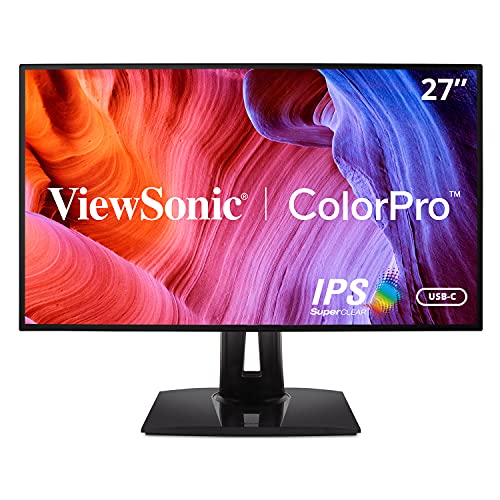
Ideal for graphic designers and photographers, the ViewSonic VP2768a 27-Inch IPS 1440p Monitor boasts impressive color accuracy with 100% coverage of essential color spaces like sRGB and Rec. 709. With a Delta E<2 accuracy and Pantone validation, you can trust its color reproduction. The 27-inch QHD display offers a 60Hz refresh rate and thin bezels, enhancing your workspace. Connectivity is a breeze with Ethernet, USB-C, HDMI, and DisplayPort options, plus 90W charging. The ergonomic stand provides tilt, swivel, pivot, and height adjustments, while Flicker-Free technology and a Blue Light Filter guarantee comfortable viewing for long hours.
Best For: Graphic designers and photographers looking for a high-quality monitor with exceptional color accuracy and ergonomic features.
Pros:
- Excellent color accuracy with 100% coverage of key color spaces and Delta E<2 accuracy.
- Versatile connectivity options including USB-C, Ethernet, HDMI, and DisplayPort, along with 90W charging capability.
- Ergonomic adjustments with tilt, swivel, pivot, and height adjustments for enhanced comfort.
Cons:
- 60Hz refresh rate may not be sufficient for gamers or users needing higher refresh rates.
- The monitor’s large size may not fit well in smaller workspaces.
- Limited built-in features beyond standard display functions, lacking advanced features like built-in speakers.
AOC Q27G4XN 27″ Gaming Monitor

The AOC Q27G4XN 27″ Gaming Monitor stands out with its impressive 180Hz refresh rate and lightning-fast 1ms response time, making it a top choice for competitive gamers who crave smooth and responsive gameplay. With a stunning 2K QHD resolution and a color gamut of 127.8% sRGB, your visuals will be vibrant and immersive. Adaptive-Sync technology guarantees tear-free action, while the frameless design minimizes distractions. You’ll appreciate the height-adjustable stand for ergonomic comfort and the multiple connectivity options for console gaming. Plus, the 3-Year Zero-Bright-dot warranty gives you peace of mind for all your gaming sessions.
Best For: Competitive gamers seeking a high-performance monitor that delivers smooth, responsive gameplay and vibrant visuals.
Pros:
- High refresh rate of 180Hz and 1ms response time for ultra-smooth gameplay.
- Adaptive-Sync technology ensures tear-free action and minimizes ghosting.
- Ergonomic height-adjustable stand and frameless design for an immersive experience.
Cons:
- Limited to a maximum resolution of 2K QHD, which may not satisfy those seeking 4K.
- Connectivity options may be limited for users with multiple high-end devices.
- Higher price point compared to standard monitors, which could be a consideration for budget-conscious buyers.
BenQ SW321C 32″ 4K UHD Photo Video Editing Monitor

For photographers and videographers seeking unparalleled color accuracy, the BenQ SW321C 32″ 4K UHD monitor stands out as an essential tool. Its IPS technology and hardware calibration provide stunning visuals, while AQCOLOR guarantees precise color reproduction with 99% AdobeRGB and 100% sRGB coverage. The 14-bit 3D LUT enhances color blending, making your edits pop. Plus, BenQ’s Paper Color Sync technology assures consistency between screen and print. With USB-C connectivity for easy synchronization and a customizable ergonomic design, you can work comfortably. This monitor truly elevates your editing experience, ensuring every detail is captured with stunning accuracy.
Best For: Photographers and videographers who require exceptional color accuracy and detail in their editing process.
Pros:
- Factory calibrated for color accuracy, ensuring stunning visuals with minimal color deviation.
- USB-C connectivity allows for easy synchronization and charging of devices, enhancing workflow efficiency.
- Ergonomic design with adjustable features promotes user comfort during long editing sessions.
Cons:
- Price point may be high for casual users or hobbyists who do not require professional-grade features.
- Size may be cumbersome for smaller workspaces, limiting placement options.
- Limited built-in speakers may require external audio solutions for video editing tasks.
ASUS ProArt Display 32” 4K HDR Computer Monitor (PA32UCR-K)

Creative professionals seeking unparalleled color accuracy will find the ASUS ProArt Display 32” 4K HDR Computer Monitor (PA32UCR-K) to be an exceptional choice. With its 32-inch 4K HDR display and mini-LED backlight, you’ll enjoy stunning visuals at a peak brightness of 1,000 nits. The monitor utilizes Quantum-dot technology, delivering 99.5% Adobe RGB and 98% DCI-P3 coverage, ensuring vibrant colors with a delta-E (∆E) <1 for superior accuracy. Plus, ASUS ProArt Hardware Calibration enhances color optimization and uniformity. With support for HDR-10 and a three-month Adobe Creative Cloud subscription, this monitor is perfect for any creative workspace.
Best For: Creative professionals seeking exceptional color accuracy and vibrant visuals for design and editing work.
Pros:
- Exceptional color fidelity with 99.5% Adobe RGB and 98% DCI-P3 coverage.
- Peak brightness of 1,000 nits and support for multiple HDR formats for lifelike visuals.
- Includes ASUS ProArt Hardware Calibration for optimized color accuracy and uniformity.
Cons:
- The large size may require ample desk space, making it less suitable for smaller workspaces.
- Higher price point compared to standard monitors, which may not be justifiable for casual users.
- Limited to specific HDR formats, which may not accommodate all user preferences.
Calibrite Display 123 Colorimeter (CCDIS123)

Designed with a user-friendly interface, the Calibrite Display 123 Colorimeter (CCDIS123) makes color calibration accessible for professionals and enthusiasts in fields like photography, video editing, and gaming. It corrects monitor colors using a straightforward 1-2-3 process, ensuring accurate representation across two displays. You can choose between Native or Photo brightness selection, catering to various needs. Whether you’re enhancing your gaming experience or making precise color choices for design projects, this colorimeter delivers consistent performance. Its versatility and ease of use make it a must-have for anyone serious about achieving true-to-life colors on their screens.
Best For: Professionals and enthusiasts in photography, video editing, gaming, and design who need accurate color representation on their monitors.
Pros:
- User-friendly interface that simplifies the calibration process.
- Supports multiple display setups, allowing calibration for two displays simultaneously.
- Versatile brightness options (Native or Photo) to meet different viewing needs.
Cons:
- Limited to only two displays for calibration, which may not suffice for users with more extensive setups.
- May require periodic recalibration for optimal performance, depending on usage.
- Some users may find the initial setup process slightly time-consuming.
ViewSonic VP3256-4K 32 Inch Ergonomic Monitor

The ViewSonic VP3256-4K 32 Inch Ergonomic Monitor stands out for its exceptional color accuracy, making it an ideal choice for professionals who require precise color reproduction. With a stunning 4K UHD display and support for HDR10, you’ll enjoy vibrant visuals. The monitor covers 100% of sRGB, EBU, and SMPTE C, ensuring that your colors are true to life, while its Pantone validation guarantees accurate color matching. Connectivity options like USB-C, HDMI, and DisplayPort provide versatility, and the ergonomic stand lets you customize your viewing angle. Plus, Flicker-Free technology and a Blue Light Filter help reduce eye fatigue during long sessions.
Best For: Professionals in graphic design, video editing, and photography who require high color accuracy and a large display for detailed work.
Pros:
- Exceptional color accuracy with 100% sRGB and Pantone validation for precise color reproduction.
- Extensive connectivity options including USB-C, HDMI, and DisplayPort for versatile use with different devices.
- Ergonomic design with adjustable height, tilt, swivel, and pivot to enhance comfort during extended use.
Cons:
- The 60Hz refresh rate may not meet the needs of hardcore gamers seeking higher performance.
- Larger screen size might require more desk space, which could be an issue for smaller workspaces.
- Some users may find the price point to be on the higher side compared to standard monitors.
Factors to Consider When Choosing a Hardware Calibrated Monitor
When you’re choosing a hardware calibrated monitor, consider factors like color accuracy standards and the calibration technology used. You’ll also want to think about connectivity options, size, resolution, and ergonomic design features. Each of these elements can greatly impact your overall experience and productivity.
Color Accuracy Standards
Choosing a hardware calibrated monitor involves understanding color accuracy standards, as they directly impact your work’s quality. You’ll want to pay attention to Delta E values, with a Delta E under 2 considered visually indistinguishable from perfect color accuracy for most applications. Look for monitors that cover a wide range of color gamuts, like 100% sRGB, 99% AdobeRGB, and 95% P3, to guarantee vibrant colors. Many professional monitors support multiple color spaces, letting you switch profiles for photography, video editing, or graphic design. Calibration processes often include hardware adjustments and 14-bit 3D lookup tables (LUTs) to enhance precision. Finally, check for calibration reports that detail color accuracy, helping you achieve consistent results.
Calibration Technology Used
Understanding calibration technology is essential for selecting the right hardware calibrated monitor, as it directly influences your color accuracy and overall experience. Look for monitors that use hardware calibration, which adjusts colors internally instead of relying solely on software. Pay attention to the Delta E metric; values under 2 indicate excellent color fidelity, while top monitors achieve less than 1. Advanced calibration technologies often feature 14-bit 3D lookup tables (LUTs), enhancing color blending and accuracy. Additionally, choose monitors that support multiple color spaces, such as Adobe RGB, DCI-P3, and sRGB, for greater versatility in your work. Finally, consider models that include calibration reports, as these provide valuable data on the color accuracy achieved during factory calibration.
Connectivity Options Available
Selecting a hardware calibrated monitor involves more than just color accuracy; it also requires attention to the connectivity options available. You’ll want to look for a variety of ports to guarantee compatibility with different devices. USB-C ports are particularly valuable, as they offer data transfer, video output, and power delivery, streamlining connections with laptops and mobile devices. HDMI and DisplayPort are essential for supporting high resolutions and refresh rates, vital for peak display performance. Integrated USB hubs can simplify access to peripherals, reducing clutter and increasing productivity. Additionally, consider monitors that support daisy-chaining via Thunderbolt or DisplayPort, allowing you to connect multiple monitors with just one cable to your computer, enhancing your workspace flexibility.
Size and Resolution
Size and resolution are pivotal factors that can elevate your experience with a hardware calibrated monitor. Larger screens, particularly those 27 inches and above, create a more immersive environment for tasks like photo and video editing. When it comes to resolution, opting for 4K (3840×2160) is essential; it offers four times the pixel density of Full HD (1920×1080), allowing for finer details and better color accuracy. A larger display with higher resolution also enhances multitasking, giving you the space to work on multiple applications simultaneously. Remember to take into account your viewing distance, as larger monitors require you to sit further back to avoid pixelation, while smaller ones can be comfortably viewed up close without sacrificing image quality.
Ergonomic Design Features
When choosing a hardware calibrated monitor, ergonomic design features can greatly enhance your comfort and productivity. Look for adjustable stands that let you modify height, tilt, swivel, and pivot, guaranteeing you can position the screen for ideal viewing. Thin bezels are also a plus, offering a sleek appearance while minimizing distractions. Advanced ergonomic stands can greatly reduce neck and eye strain, promoting a healthy posture during long hours of use. Additionally, monitors with Flicker-Free technology and Blue Light Filters help combat eye fatigue, making extended viewing sessions more comfortable. If you’re considering a multi-monitor setup, verify your chosen model supports this, allowing for greater flexibility and improved workflow efficiency.
Supported Color Gamuts
Understanding supported color gamuts is fundamental for anyone serious about monitor performance, especially in creative fields. Different gamuts like sRGB, Adobe RGB, and DCI-P3 cater to specific needs. If you’re into web design, look for a monitor that covers 100% sRGB to guarantee accurate color representation across devices. For photographers and print professionals, a monitor with 99% Adobe RGB coverage is critical, as it captures a wider color spectrum. If you’re working in film or video, DCI-P3 is your go-to, offering superior color fidelity for HDR content. Additionally, aim for monitors with a low Delta E value (under 2) to confirm that the colors you see are true to life, which is essential for precise color representation.
Intended Use Cases
Choosing the right hardware calibrated monitor often boils down to your specific use case. If you’re a photographer or video editor, you’ll need a monitor that guarantees accurate color reproduction, allowing consistency across different displays. Graphic designers should aim for monitors with high color accuracy, targeting a Delta E < 2 to visualize designs accurately. Gamers benefit from calibrated monitors with precise color performance and fast response times, giving you a competitive edge. For content creators, look for monitors that support wide color gamuts, like 99% AdobeRGB or 100% sRGB, to work with vibrant colors. Finally, consider calibration technologies that support multiple HDR formats for enhanced visual fidelity, guaranteeing lifelike imagery in your projects.